
Medical Center Supervisor: Relaxed Management
Opens in a play window — no download required.
Reviews
Medical Center Supervisor stands out for its calm, educational approach to simulation. The game avoids stress by removing timers and penalties, letting players focus on organizing departments and helping characters. Each zone feels distinct, from the busy reception area to the quiet nursery. The bright art style and simple controls make it accessible for younger audiences, while the management depth offers enough variety for older players. It is a refreshing take on the genre that prioritizes empathy over efficiency.
Description
Building a Caring Environment
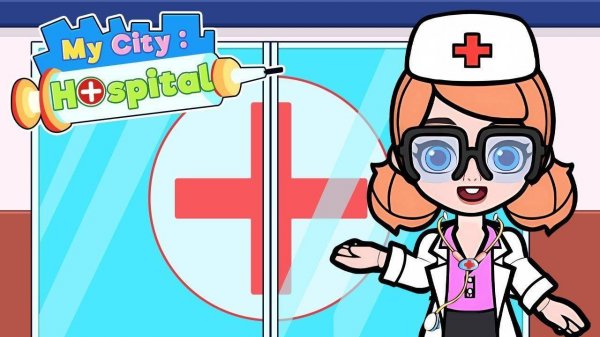
Medical Center Supervisor places you in charge of a colorful facility with several specialized zones. Each zone presents its own set of responsibilities, from greeting visitors at the front desk to ensuring the nursery runs smoothly. The game emphasizes positive interactions and thoughtful organization rather than high-pressure scenarios. Players can explore each area at their own speed, learning how different parts of a medical facility work together to support community health.
Everyday Operations and Tasks
Daily activities revolve around responding to the needs of various characters who arrive for assistance. You might guide someone to a consultation room, help prepare a space for a new arrival, or use simple tools to check on a patient's comfort. The interface uses clear icons and gentle prompts, making it easy for newcomers to understand what each action does. There is no time limit or penalty for taking longer, which encourages careful thinking and exploration.
Learning Through Play
One of the game's strengths is how it introduces real-world medical roles in a lighthearted way. By interacting with different departments, players gain a basic understanding of tasks like patient intake, routine checkups, and post-procedure care. The stylized visuals keep everything approachable, avoiding any graphic or intense imagery. This design makes the game a useful tool for sparking conversations about health and empathy among younger players.
Creative Freedom and Progression
As you spend time managing the facility, you can experiment with different layouts and routines to improve efficiency. The game tracks how well you meet patient needs, offering gentle feedback rather than strict penalties. This allows for creative problem-solving without fear of failure. Over time, the facility becomes more lively and organized, reflecting the care you put into each decision. The focus remains on building a happy, functional space for everyone involved.
Visual Style and Atmosphere
The game uses bright, cheerful colors and friendly character designs to create a welcoming atmosphere. Animations are smooth but simple, keeping the experience accessible on various devices. Background music and sound effects are calm and unobtrusive, adding to the relaxed pace. The overall presentation supports the game's goal of providing a stress-free environment where players can focus on helping others.






Comments
Sign in to leave a note
You must be logged in before posting a review or rating.
No account? Create one
No comments yet. Be the first to comment!