Face Paint Master Creative Art
About
Face Paint Master Online Game provides a clean and intuitive painting experience. The variety of templates and effects keeps each session interesting. It is ideal for children learning to use a mouse or touch screen, and adults can enjoy the stress-free creativity. The ability to save and share artwork adds replay value. A solid choice for family-friendly online fun.
Game Introduction
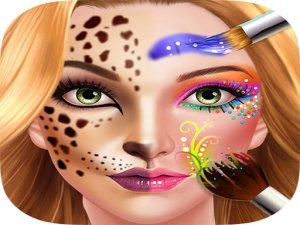
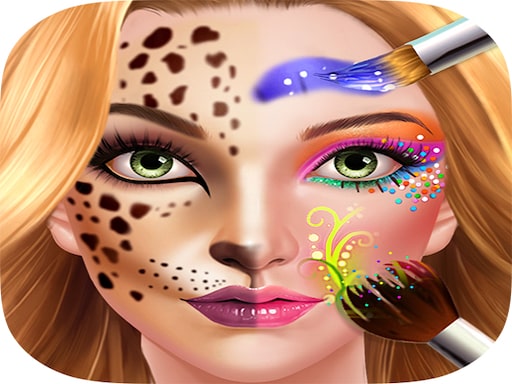
Face Paint Master Online Game is a digital art experience that lets players explore the fun of face painting without any mess or cleanup. The core objective is to choose a face template and use a variety of virtual brushes, colors, and decorative effects to create unique designs. What makes this game special is its focus on free-form creativity—there are no time limits, scores, or right answers. It is designed for anyone who enjoys drawing, coloring, or trying new patterns, and the simple interface makes it easy to jump in and start painting right away. The game encourages artistic expression in a safe, family-friendly environment.
How to Play
To begin, players select a face template from the available options. Next, they choose a brush size and pick a color from the palette. Painting is done by clicking and dragging on the face area. Colors can be switched at any time, and special effects like glitter or stars can be added to enhance the artwork. If a mistake is made, an undo button allows corrections. Once the design is complete, players can save their creation and share it with friends. The controls are intuitive, so even young children can enjoy the process without assistance.
Game Features
The game includes easy-to-use painting tools with adjustable brush sizes. A bright and varied color palette allows for endless color combinations. Special effects such as glitter, stars, and sparkles add extra fun to each design. Multiple face templates provide variety and keep each session fresh. Players can save their artwork and share it with others. There are no time limits or scores, allowing for relaxed, stress-free play. The content is family-friendly and suitable for all ages.
Tips for Success
Start with simple designs to get comfortable with the brush controls. Experiment with different color combinations to discover what looks best. Use the undo feature freely—it helps you try new ideas without worry. Try adding special effects like glitter or stars to make your designs pop. Save your favorite creations to track your progress and inspire future projects. Most importantly, have fun and let your imagination guide you—there are no wrong moves in this creative space.