Keyboard Design Studio
About
DIY Keyboard Design Game offers a unique and enjoyable experience for players of all ages. The variety of manufacture methods and decorative options allows for endless creativity. The game is easy to play and provides a relaxing way to express your artistic side. Highly recommended for anyone who loves design and customization!
Game Introduction
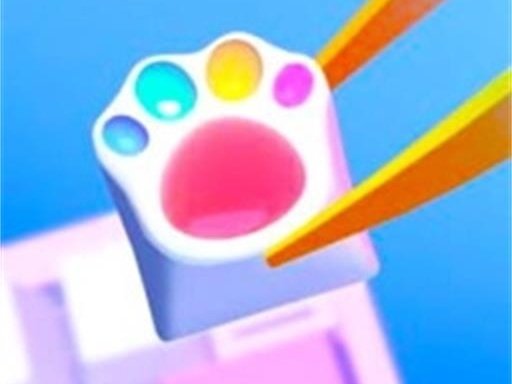
Welcome to DIY Keyboard Design Game Online, a creative and fun online experience where you can design your own unique keyboards. Have you ever wanted to personalize your keyboard with custom colors, patterns, and decorations? This game lets you do just that. You can explore five different manufacture methods: Resin, Acrylic, Pop, Stencil, and Decor. Each method offers unique ways to customize your keyboard. We also provide a wide variety of beautiful ornaments to make your design truly special. Whether you want a white, blue, red, or even transparent keyboard, you have the freedom to create. Use your design and drawing talents to make keyboards that reflect your personal style. This game is perfect for anyone who loves art, design, or keyboards.
How to Play
Playing DIY Keyboard Design Game Online is easy and fun. Start by choosing a manufacture method from the options: Resin, Acrylic, Pop, Stencil, or Decor. Each method gives you different tools to customize your keyboard. Next, select colors and patterns to paint your keyboard. You can draw on the keys, change the background, and add beautiful ornaments like stickers or gems. If you want a modern look, you can even make your keyboard transparent. Experiment with different combinations to create a design that you love. Once you are happy with your creation, save or share it with friends. The game is simple to play and suitable for all ages. Let your imagination run wild and design the keyboard of your dreams.
Game Features
Design custom keyboards with five different methods, each offering unique customization tools. Draw and paint colors onto your keyboard, add decorative ornaments such as stickers or gems, and create transparent keys for a modern look. The game provides a wide range of colors and patterns to choose from, allowing for endless creative possibilities. You can save your designs or share them with others. The interface is user-friendly and designed for players of all ages, making it easy to jump in and start creating.
Tips for Success
To make the most of your design experience, try experimenting with different manufacture methods to see which one gives you the look you want. Start with a simple color scheme and gradually add ornaments to avoid overwhelming your design. Use the transparent key option to create a sleek, modern appearance. Save your favorite designs so you can revisit and refine them later. Don't be afraid to try bold combinations—the game encourages creativity. Finally, share your creations with friends for feedback and inspiration.